paraview web server
A method of launching Paraview as a web server, and visualizing in localhost.
Quick start
Go to Paraview bin directory
cd /foo/ParaView-5.8.1-MPI-Linux-Python3.7-64bit/binRun server
$pvpython ../share/paraview-5.8/web/visualizer/server/pvw-visualizer.py		\
			--content ../share/paraview-5.8/web/visualizer/www/	\
			--port 8080 						\
			--data $DATA_DIR

==> Open your browser to http://localhost:8080/
Result
Visualize a test simulation result as an example,
Under Paraview bin directory, run in one line
pvpython ../share/paraview-5.8/web/visualizer/server/pvw-visualizer.py --content ../share/paraview-5.8/web/visualizer/www/ --port 8080 --data project_dir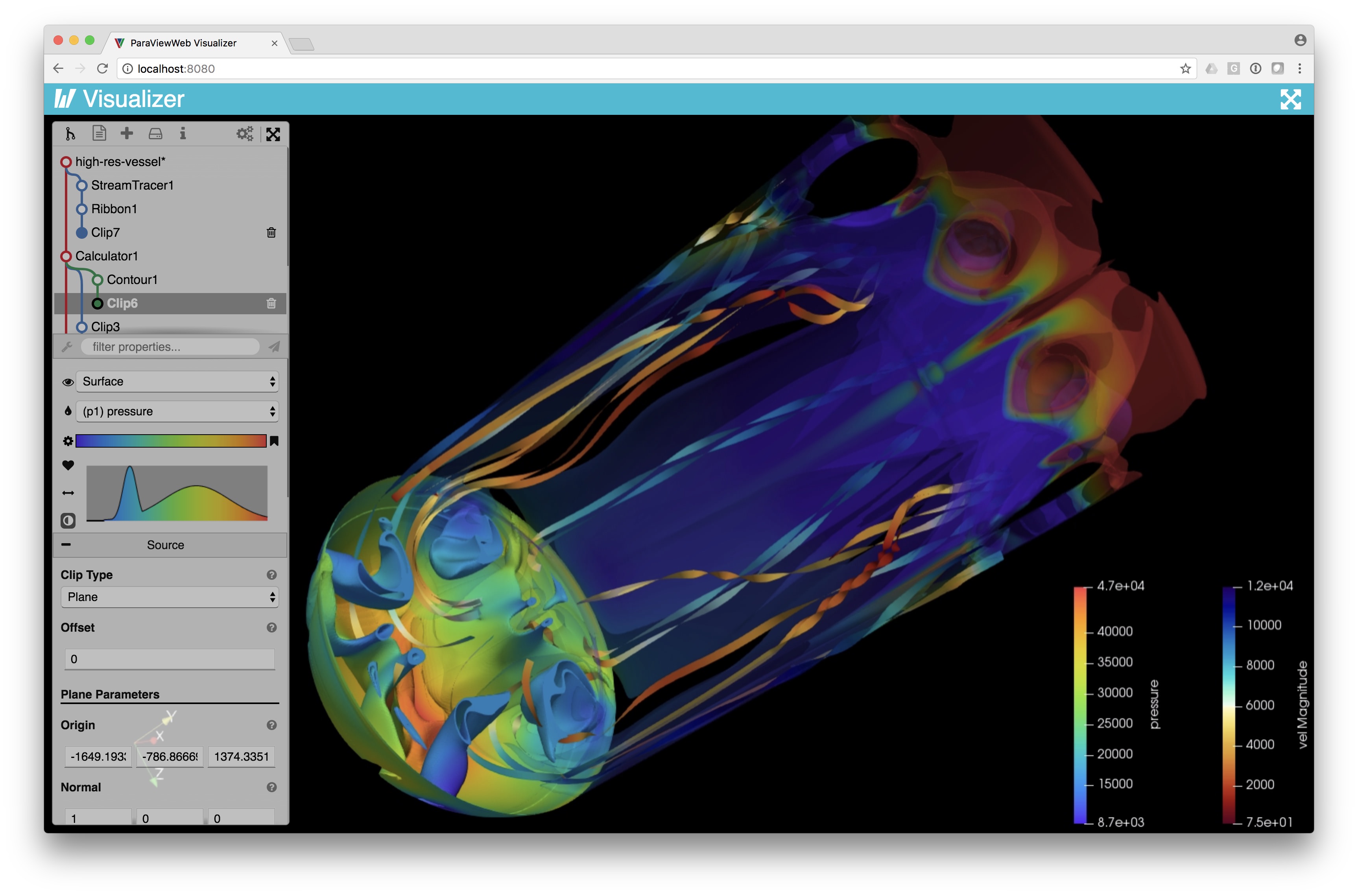
Have tried to run under
$DATA_DIRwith absolute path, FAILEDMultiple user or remote access non-supported
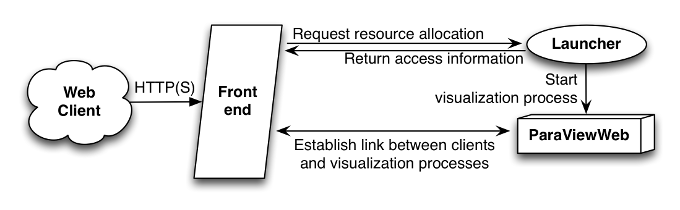
- This can be implemented by Apache as a front end and Python launcher. Detailed guide on Multi-user setup
- For further information on this topic, refer to: How to enable or disable Apache modules, How To Install the Apache Web Server on CentOS 7
Further than further: VTK/ParaView Web, framework for data processing and visualization in the Web
More flags for pvw-visualizer.py
--data
Path used to list that directory on the server and let the client choose a
file to load.  You may also specify multiple directories, each with a name
that should be displayed as the top-level name of the directory in the UI.
If this parameter takes the form: "name1=path1|name2=path2|...",
then we will treat this as the case where multiple data directories are
required.  In this case, each top-level directory will be given the name
associated with the directory in the argument.

--load-file try to load the file relative to data-dir if any.

--ds-host None
Host name where pvserver has been started

--ds-port 11111
Port number to use to connect to pvserver

--rs-host None
Host name where renderserver has been started

--rs-port 22222
Port number to use to connect to the renderserver

--exclude-regex "[0-9]+\\."
Regular expression used to filter out files in directory/file listing.

--group-regex "^\\.|~$|^\\$"
Regular expression used to group files into a single loadable entity.

--plugins
Colon-separated (':') list of fully qualified path names to plugin objects
to load.

--color-palette-file
File to load to define a set of color maps.  File format is the same as
for ParaViews 'ColorMaps.xml' configuration file.

--proxies
Path to a file with json text containing sources, filters and readers
allowed to be used by ParaViewWeb.

--no-auto-readers
If provided, disallows the use of readers not specifically mentioned in
the above proxies configuration file.  Do not provide this option if you
want paraview.simple to try and figure out the appropriate reader for
files you try to open.

--reverse-connect-port
If supplied, a reverse connection will be established on the given port.
This option is useful when running in mpi mode and you want pvservers to
connect to this pvpython application.

--save-data-dir
Server directory under which all data will be saved.  Data, state, and
screenshots can be saved to relative paths under this directory.

--port 8080
Port number on which the HTTP server will listen.

--content /path-to-web-content/
Directory that you want to serve as static web content.
By default, this variable is empty which means that we rely on another
server to deliver the static content and the current process only
focuses on the WebSocket connectivity of clients.

--authKey vtkweb-secret
Secret key that should be provided by the client to allow it to make
any WebSocket communication. The client will assume if none is given
that the server expects "vtkweb-secret" as secret key.
paraview web server
https://daydreamatnight.github.io/2022/10/02/paraview-web-server/