Compile OpenFOAM from source on M1 Mac
I just spent 3 hours building ESI OpenFOAM-v2112 from source code locally(no need docker) on my m1 MacBook air. This blog is to record the process.
Although here is a very convenient already-built source for mac: gerlero/openfoam2112-app. I still chose to build it from the source on my own mac.
Helpful resources:
Preliminaries
xcode-select --install/bin/bash -c "$(curl -fsSL https://raw.githubusercontent.com/Homebrew/install/HEAD/install.sh)"Procedures
Create a case-sensitive volume on mac. OpenFOAM requires a case-sensitive volume to build and run, yet mac does not support it by default.
Open
disk utility.appand follow these settings: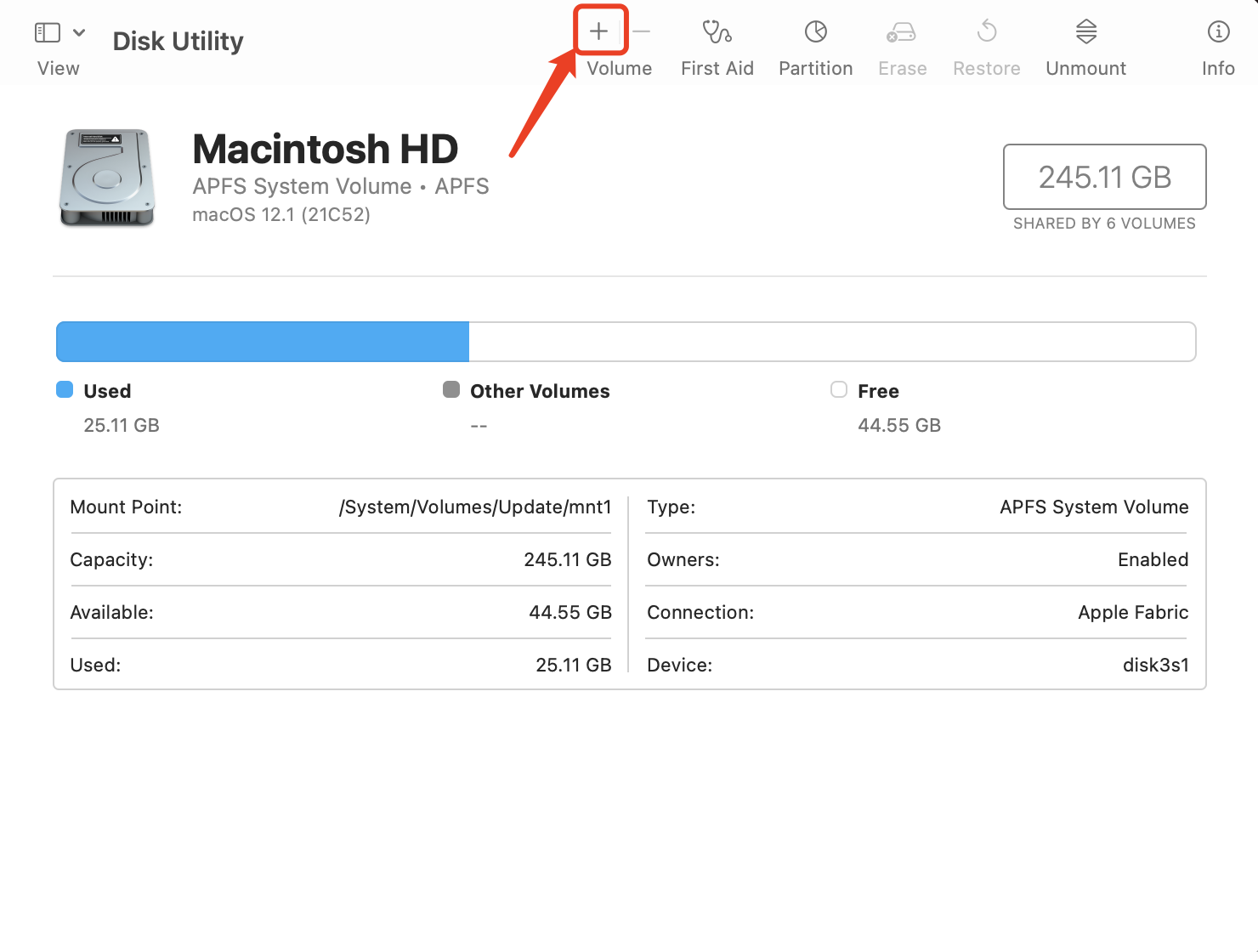
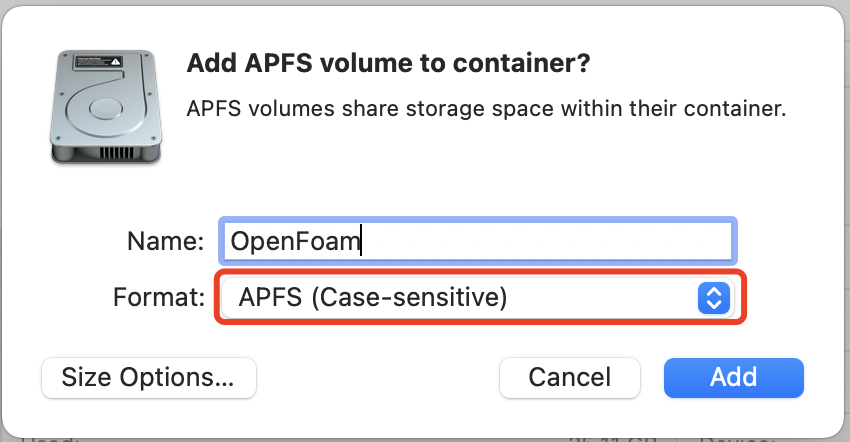
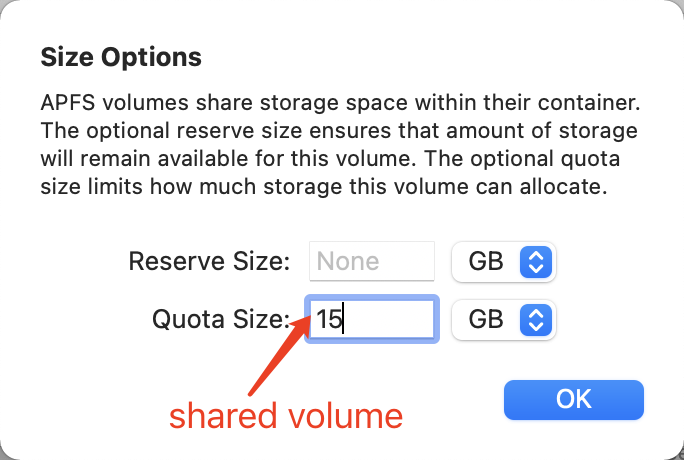
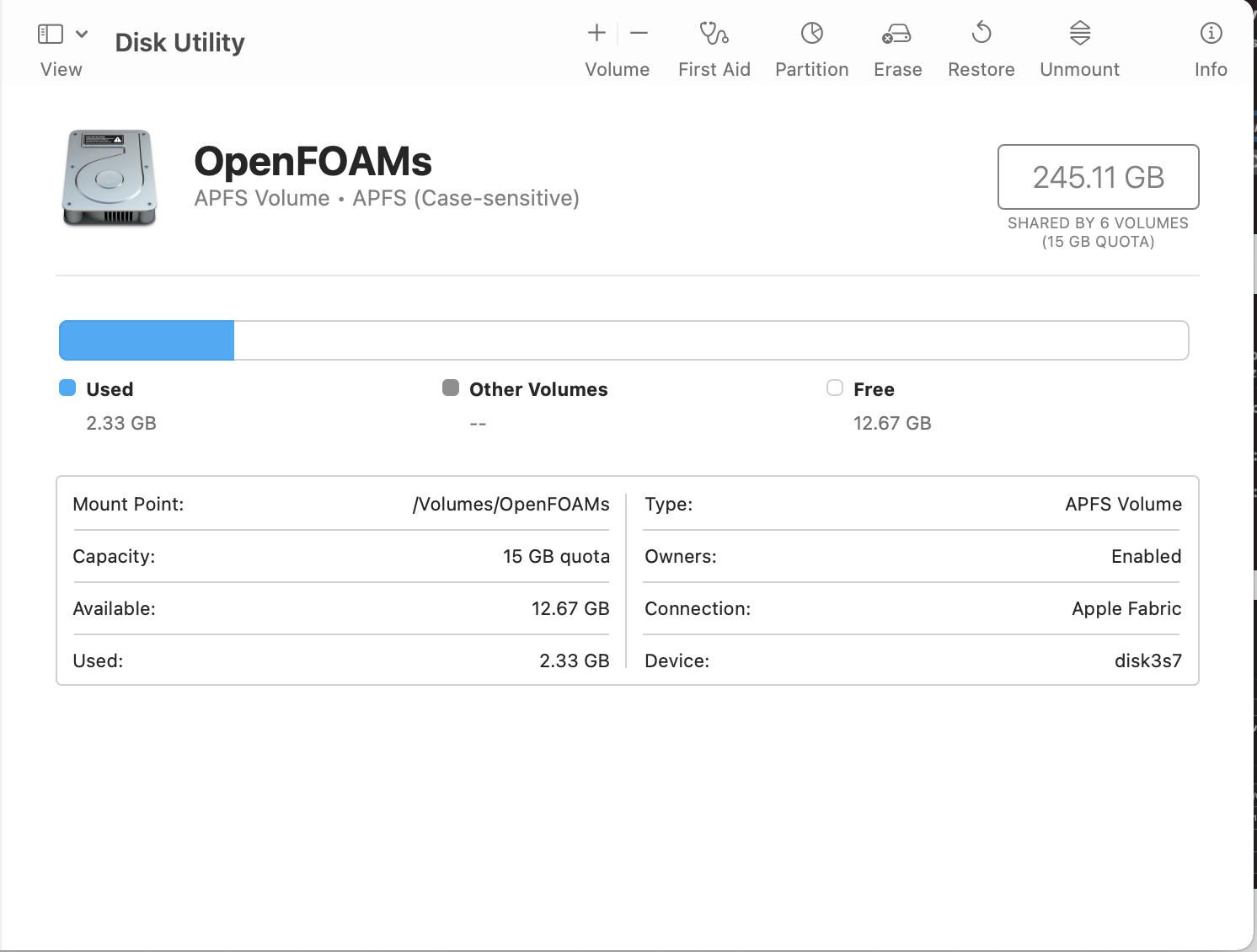
Go to
/Volumes/OpenFOAMs/, download and extract the source code and the patches for mac (thanks to BrushXue) to the same directory.Install dependencies with homebrew:
brew install cmake open-mpi libomp adios2 boost fftw kahip metisInstall modifiled
scotchandCGAL@4(Thanks to gerlero for creating this tap)brew tap gerlero/openfoam brew install scotch-no-pthread cgal@4And you probably need to add the following:
export CPATH=/opt/homebrew/include
export LIBRARY_PATH=/opt/homebrew/lib
Source OpenFOAM's environment bashrc:
source etc/bashrcCheck the system and build (about 1 hour on MacBook Air)
foamSystemCheck
./Allwmake -j -s -l
Install
paraviewfrom Homebrewbrew install --cask paraviewAdd alias to
$home/.zshrcalias of="source /Volumes/OpenFOAMs/OpenFOAM-v2112/etc/bashrc"